

Buffering is one of the most frustrating experiences in IPTV streaming, and it is a problem that affects users across Cyprus regardless of which internet provider they subscribe to. Whether you are on a Cyta fibre connection in Nicosia, a Cablenet package in Limassol, or a PrimeTel service in Paphos, IPTV buffering Cyprus users encounter can stem from a range of causes — some network-related, some device-related, and some tied to specific player or configuration settings. The encouraging reality is that the majority of buffering issues are resolvable through practical adjustments that do not require technical expertise or hardware replacement. This guide walks through nine targeted fixes that address the most common causes of IPTV stream interruptions in a Cypriot home network context.

Before addressing solutions, it helps to understand what buffering actually represents. When an IPTV stream buffers, it means your device is not receiving data from the streaming server quickly enough to maintain continuous playback. The player pauses to accumulate enough data ahead of the playback position — a process visible as a spinning wheel or frozen frame.
This can be caused by insufficient internet bandwidth, network congestion within your home setup, router limitations, weak Wi-Fi signal, overloaded IPTV server infrastructure, or misconfigured player settings. In Cyprus, where residential broadband speeds vary considerably between urban fibre connections and less-served rural areas, the network layer is frequently the primary contributor to IPTV buffering Cyprus complaints.
This single change resolves buffering for a significant proportion of IPTV users and should always be the first step attempted. Wi-Fi introduces latency variability, signal interference, and packet loss that do not appear in standard speed tests but directly affect streaming stability during sustained high-bitrate playback.
Connecting your IPTV device — whether an Android box, MAG device, Firestick with an ethernet adapter, or Smart TV — directly to your router via an ethernet cable eliminates these wireless variables entirely. The difference in stream consistency is often immediately noticeable, particularly during live sports or 4K content.
A simple but effective step that is frequently overlooked. Routers accumulate cached data and manage active connections over time, and periodic restarts clear this state and refresh the network assignment. Power off your router completely, wait thirty seconds, and power it back on. Restart your IPTV device separately once the router has fully reconnected.
This process is particularly relevant for Cyta VDSL and fibre users, where connection sessions can occasionally develop latency drift over extended periods without a full restart.
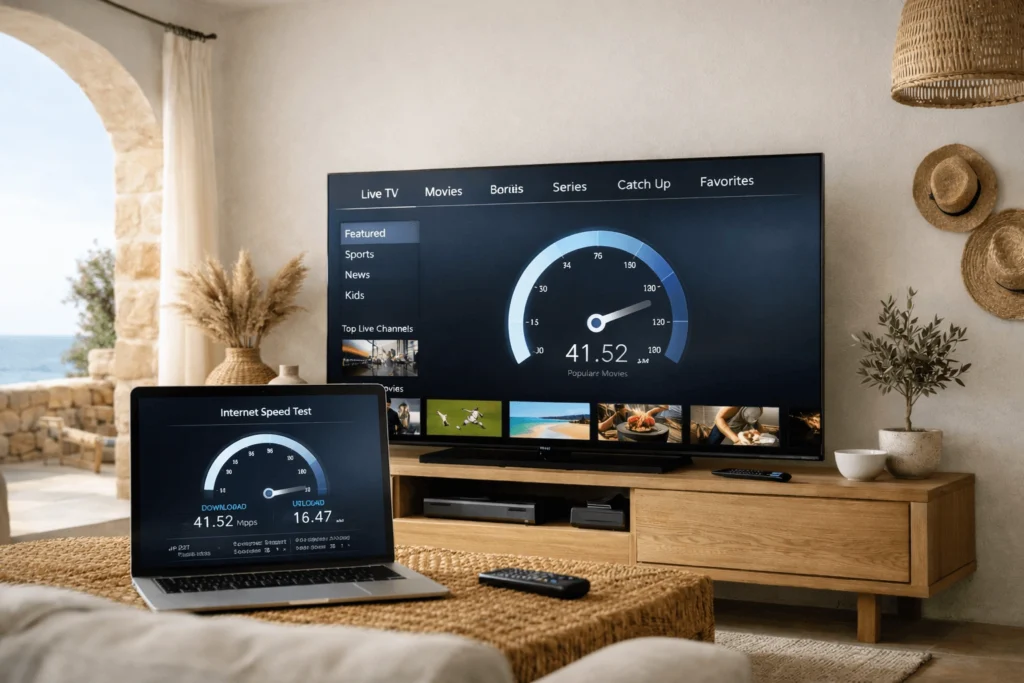
Advertised broadband speeds and delivered speeds are not always equivalent. Run a speed test — using a service such as fast.com or speedtest.net — directly on the device you use for IPTV, at the same time of day you typically experience buffering. For HD IPTV streaming, a sustained speed of at least 10 Mbps is required. For 4K content, 25 Mbps or above is necessary.
If your measured speed falls significantly below your subscribed plan, contact your ISP — Cyta, Cablenet, or PrimeTel — to report the discrepancy. Line quality issues, particularly on older copper-based connections, can reduce delivered speeds meaningfully below the contracted rate.
IPTV buffering Cyprus users experience at peak evening hours is often caused not by the ISP connection itself but by simultaneous heavy usage across multiple devices on the same home network. Video calls, large file downloads, cloud backups, and other streaming services running concurrently all compete for available bandwidth.
Pause or schedule bandwidth-intensive tasks during IPTV viewing sessions. Additionally, consider enabling Quality of Service (QoS) settings on your router if this feature is available — QoS allows you to prioritise traffic from your IPTV device over other network activity, ensuring it receives consistent bandwidth allocation.
Default DNS servers assigned by Cypriot ISPs are not always optimised for speed or reliability. Switching to a faster public DNS service can reduce the time taken to resolve streaming server addresses and, in some cases, improve overall connection responsiveness.
On your IPTV device or router, replace the default DNS with Google’s public DNS (8.8.8.8 and 8.8.4.4) or Cloudflare’s DNS (1.1.1.1 and 1.0.0.1). This change is straightforward to make on most Android boxes, MAG devices, and within router administration panels, and carries no risk to your existing broadband configuration.
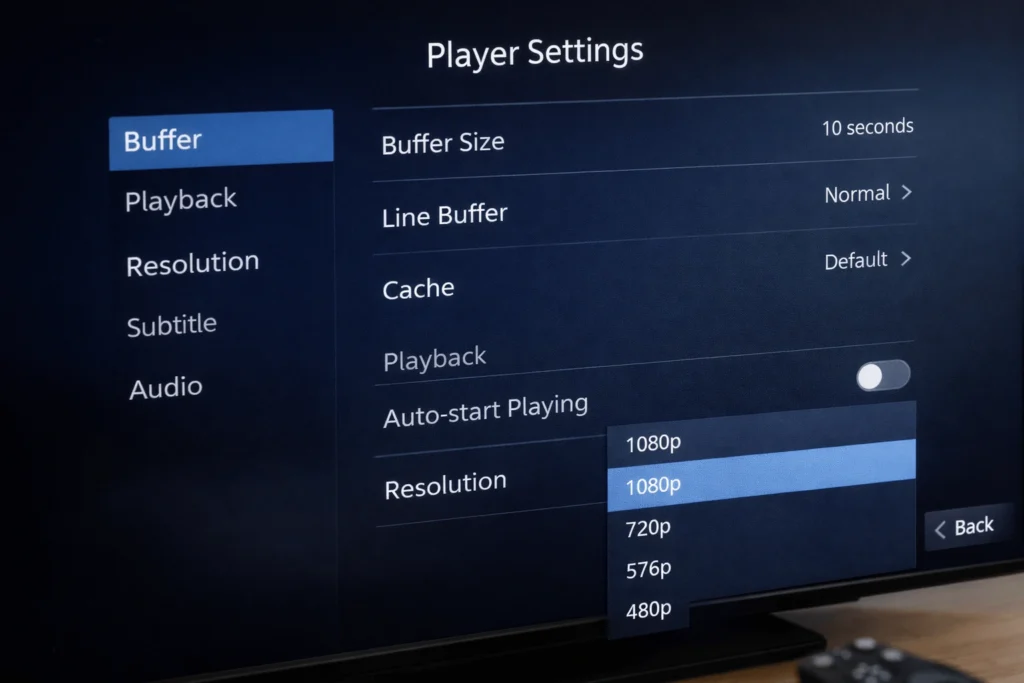
Many IPTV player applications — including IPTV Smarters Pro, TiviMate, and GSE Smart IPTV — include an adjustable buffer size setting within their playback configuration. Increasing the buffer size instructs the application to pre-load a larger amount of stream data before beginning playback, which reduces the frequency of mid-stream interruptions caused by brief network fluctuations.
Navigate to the playback or advanced settings section of your player and increase the buffer value incrementally. A setting between 5,000 and 10,000 milliseconds is a reasonable starting point for most IPTV CY users experiencing intermittent buffering. Note that a larger buffer means a slightly longer initial load time before playback begins, which is an acceptable trade-off for uninterrupted viewing.
On Android-based IPTV devices, the choice between hardware and software decoding can affect stream stability depending on the specific device model and stream format. Hardware decoding uses the device’s dedicated video processor and generally performs better for high-resolution streams, reducing CPU load and improving playback smoothness.
However, on some older or lower-specification Android boxes common in IPTV box Cyprus setups, hardware decoding can occasionally cause compatibility issues with certain stream codecs. If buffering or playback errors are occurring consistently, switching between hardware and software decoding within your player’s settings is worth testing. The optimal setting varies by device, so a brief trial-and-error approach is the most reliable method.
Each of Cyprus’s main internet providers has distinct network infrastructure characteristics that can influence IPTV performance. Cyta’s fibre network generally delivers strong and consistent speeds in urban areas, though peak-hour congestion on shared VDSL segments can affect older connections in less densely served locations.
Cablenet’s cable-based network provides high download speeds but can experience contention during high-demand periods in densely populated areas. PrimeTel’s service quality varies by area and connection type. If buffering occurs consistently at specific times of day — particularly between 19:00 and 23:00 — this pattern often suggests peak-hour network congestion at the ISP level rather than a device or player issue. In such cases, contacting your provider to report consistent performance degradation during these hours is a reasonable step.
Furthermore, not all IPTV buffering Cyprus issues originate on the user side. IPTV server infrastructure can experience overload during high-demand events — Champions League matches, major boxing events, or popular series releases — causing degraded stream delivery that no amount of local network optimisation will resolve.
If buffering occurs specifically during live sports events or on particular channels while other content streams without issue, the cause is most likely server-side rather than network-related. Contact your provider to report the issue with specific channel names and timestamps. Reputable providers monitor server health and can advise whether the problem is temporary or requires investigation on their end. For locally relevant context on IPTV services and providers serving Cyprus, https://iptvcyprus4k.com/ offers useful reference information for Cypriot users navigating these questions.
Several avoidable errors frequently compound IPTV buffering issues. Relying entirely on Wi-Fi without testing a wired alternative is the most common. Running multiple devices on the same playlist simultaneously — for instance, two screens accessing the same IPTV subscription Cyprus account — can exceed concurrent connection limits set by the provider, triggering throttling. Neglecting to update IPTV player applications means users miss performance patches that developers release regularly. Finally, assuming the issue is always the ISP without testing the local network first leads to unnecessary support calls and delays in resolving what is frequently a home network configuration problem.
Broadcasting and audiovisual services in Cyprus fall under the oversight of the Cyprus Radio Television Authority (www.crta.org.cy). Users seeking information about content licensing standards applicable to streaming services in Cyprus can consult the Authority’s published regulatory guidance.
IPTV buffering Cyprus users experience is rarely caused by a single factor and often involves a combination of network, device, and configuration variables. Working through the nine fixes outlined above — beginning with the most impactful steps such as switching to ethernet and adjusting player buffer settings — resolves the majority of streaming interruptions without requiring specialist technical knowledge. Understanding the specific characteristics of your ISP connection, whether through Cyta, Cablenet, or PrimeTel, further helps distinguish between local network issues and server-side factors, enabling a more targeted and effective response to persistent buffering problems.
Reliable IPTV service in Cyprus. Enjoy live TV, movies, and series with high-quality streaming, premium channels, and fast customer support.
© 2026 IPTV Cyprus. All rights reserved.
WhatsApp us