

Few things are more disruptive during a live football match than a frozen screen at a critical moment. For IPTV users across Cyprus, freezing and buffering during live sports events is a more common complaint than during regular television viewing — and there are specific technical reasons why this happens. Whether you are watching a Champions League fixture, a Premier League match, or a local Cypriot football game, IPTV freezing Cyprus matches scenarios tend to follow predictable patterns that, in most cases, can be resolved through targeted adjustments to your network setup, device configuration, or player settings. This guide breaks down the causes and provides practical, actionable solutions you can apply quickly.

Understanding the root cause of sports-related freezing makes the solutions easier to apply. Live sports streams differ from standard television channels in several important ways. They carry significantly higher bitrates — particularly for HD and 4K broadcasts — because the fast movement of players, balls, and camera cuts demands more data per second to maintain image quality. Unlike pre-recorded content, live streams cannot be buffered ahead of time in the same way, meaning any disruption to the data flow results in an immediate visible interruption.
Furthermore, live matches attract simultaneous viewership from thousands or millions of users worldwide. This concentrates demand on IPTV server infrastructure at the exact moment of broadcast, creating server-side load that is far greater than during off-peak viewing periods. In Cyprus, where peak sports viewing hours align with European evening kickoff times — typically between 19:00 and 23:00 local time — this combination of high server demand and local ISP peak-hour congestion creates conditions where IPTV freezing Cyprus matches users experience is most likely to occur.
Before exploring individual fixes in detail, a rapid checklist helps identify the most likely cause quickly. If freezing occurs exclusively during live sports and not during standard channels, the issue is most likely server-side demand or stream bitrate related. If freezing affects all content but worsens during matches, a local network issue is more probable. If the problem appears only on one device, the cause is device or application specific. These distinctions guide which fix to apply first and reduce the time spent troubleshooting in the wrong direction.
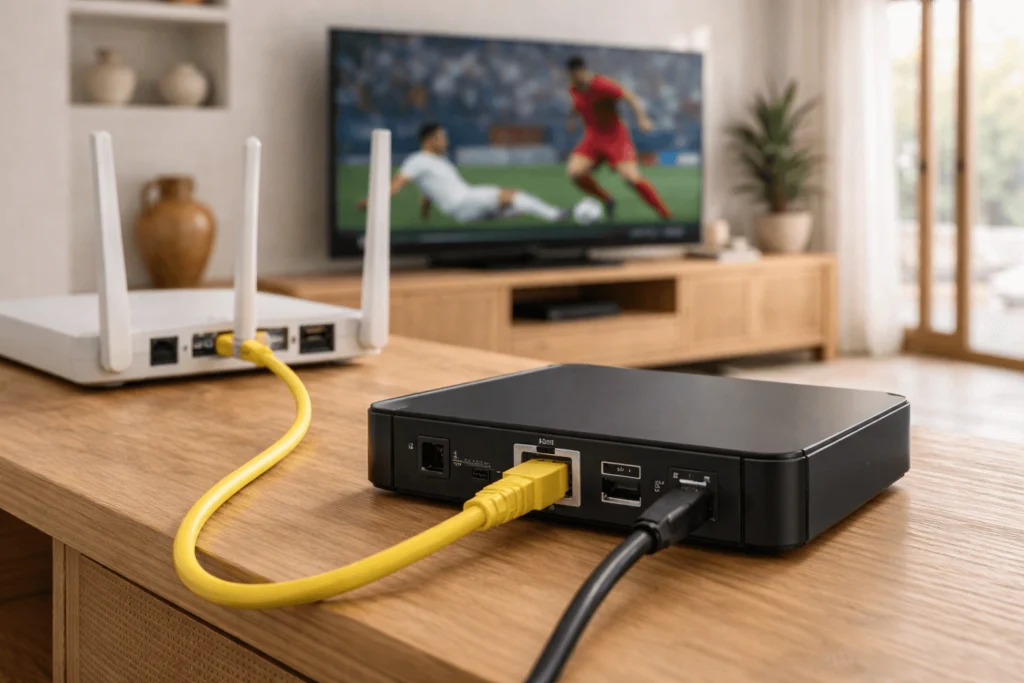
If you are currently streaming over Wi-Fi, switching to a wired ethernet connection is the single most effective immediate action available. Wi-Fi connections introduce signal variability, interference from neighbouring networks, and packet loss that becomes critically disruptive during high-bitrate sports streams. A wired connection eliminates these variables entirely.
For Android TV boxes and MAG devices used in typical IPTV box Cyprus living room setups, ethernet connections are straightforward. Amazon Firestick users can add an ethernet adapter via the USB-C port on compatible models. The improvement in stream stability during live matches is frequently immediate and substantial.
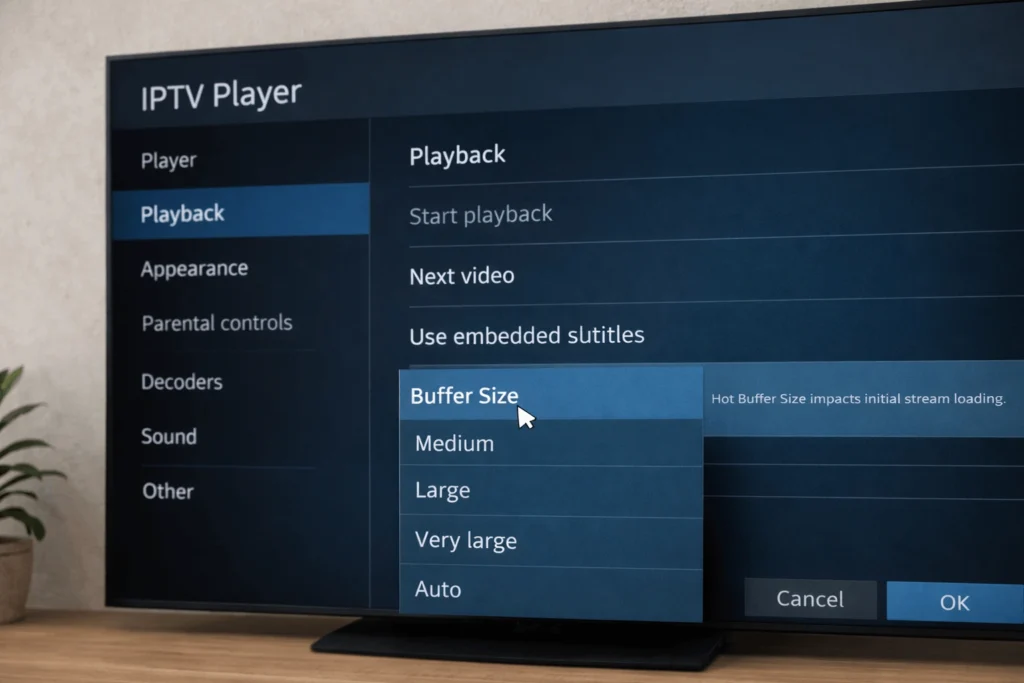
IPTV player applications including IPTV Smarters Pro, TiviMate, and GSE Smart IPTV all include adjustable buffer size settings within their playback or advanced configuration menus. Increasing the buffer instructs the application to pre-load a larger portion of the stream before playback begins, providing a data reserve that absorbs brief network fluctuations without causing a visible freeze.
For live sports streaming, a buffer value between 8,000 and 15,000 milliseconds is a practical starting range for most IPTV CY users. The trade-off is a slightly longer initial load time when first opening a channel, but this is a minor inconvenience relative to the benefit of uninterrupted match viewing. Locate the buffer or cache size setting within your player’s advanced or playback preferences and increase it incrementally to find a stable value for your specific connection.
During a live match, every active device on your home network competes for available bandwidth. Streaming services on tablets, automatic cloud backups on laptops, software updates running in the background, and other household members using video calls or social media all reduce the bandwidth available to your IPTV stream at the exact moment it is most needed.
Before an important match, close unnecessary applications on your IPTV device to free up memory and processing capacity. Additionally, pause or temporarily disconnect other high-bandwidth devices from the network. In multi-device Cypriot households — where it is common for several family members to be streaming simultaneously — this step can make a meaningful difference to sports stream stability.
Routers manage active connections and accumulate cached data over time. A fresh restart before a major sports event clears this state, resets your ISP connection, and often delivers a measurably cleaner and faster connection for the duration of the broadcast. Power off the router completely, wait thirty seconds, and restart it at least ten minutes before kickoff to allow the connection to stabilise fully before the stream begins.
This is particularly relevant for users on Cyta, Cablenet, and PrimeTel connections, where extended session times without a restart can occasionally introduce latency drift that only becomes apparent under the sustained load of a live high-bitrate stream.
If server-side congestion is the primary cause of IPTV freezing Cyprus matches problems, temporarily reducing the stream resolution is an effective workaround. Switching from a 4K or Full HD stream to an HD or SD version of the same channel reduces the data demand on both the provider’s servers and your local connection, often resulting in completely uninterrupted playback.
Many IPTV providers offer the same channels at multiple resolution tiers within their playlist. Where available, selecting a lower-resolution stream for high-demand fixtures and returning to the preferred resolution during quieter periods is a practical adaptive strategy rather than a permanent compromise.
Reputable IPTV providers typically offer multiple stream links for popular sports channels, hosted on different servers to distribute load. If your primary stream freezes during a major match, switching to an alternative stream of the same channel — where your IPTV subscription Cyprus package provides this option — often delivers immediately stable playback by connecting to a less congested server.
Within IPTV Smarters Pro and TiviMate, alternative streams are typically accessible by long-pressing the channel or navigating to the channel’s stream options. Familiarising yourself with this feature before an important match saves time when an interruption occurs mid-broadcast.
Default DNS servers provided by Cypriot ISPs vary in speed and reliability. Slow DNS resolution adds latency to the process of connecting to streaming servers, which can contribute to freeze events at the start of streams or during server reconnection after a brief interruption. Switching to a faster public DNS — Google’s 8.8.8.8 and 8.8.4.4, or Cloudflare’s 1.1.1.1 — reduces this latency and can improve initial stream load times as well as reconnection speed.
This change can be made within your router’s administration panel to apply across all devices simultaneously, or on individual IPTV devices within their network or Wi-Fi settings. The process takes under five minutes and carries no risk to your existing broadband configuration.
On Android TV boxes and similar devices, the decoding method used for video playback affects how the device handles demanding sports streams. Hardware decoding uses the device’s dedicated video processor and generally provides smoother performance for high-motion, high-bitrate content typical of live football broadcasts. Software decoding relies on the main processor and can cause overheating and frame drops on lower-specification devices during sustained high-bitrate playback.
Within your IPTV player’s settings, verify that hardware decoding is enabled. On older or budget Android boxes that form part of many IPTV box Cyprus configurations, hardware decoding is sometimes disabled by default, which unnecessarily increases the processing load during exactly the type of content — live sports — where smooth performance matters most.
Several habitual errors consistently worsen live sports freezing. Starting a stream immediately before kickoff, without allowing buffering time to establish, is a frequent cause of opening-minute freezes. Failing to update IPTV player applications means missing performance patches that developers release in response to known streaming issues. Additionally, sharing IPTV login credentials across multiple simultaneous viewing sessions can trigger provider-side throttling that limits stream quality precisely when demand is highest.
For additional guidance relevant to IPTV setups in Cyprus, https://iptvcyprus4k.com/ provides locally contextualised information on services and configuration options available to Cypriot users.
Audiovisual broadcasting and content distribution services in Cyprus are regulated by the Cyprus Radio Television Authority (www.crta.org.cy). Users are encouraged to consult the Authority’s published guidelines to understand the content licensing framework applicable to IPTV services accessed on the island.
IPTV freezing Cyprus matches situations are frustrating but overwhelmingly fixable through a combination of network optimisation, player configuration adjustments, and proactive preparation before major fixtures. Switching to ethernet, increasing buffer size, managing concurrent device usage, and understanding the difference between local network issues and server-side congestion gives you the tools to address the most common causes effectively. Applying even two or three of the fixes outlined above is typically sufficient to transform an unreliable live sports stream into a consistently stable one.
Reliable IPTV service in Cyprus. Enjoy live TV, movies, and series with high-quality streaming, premium channels, and fast customer support.
© 2026 IPTV Cyprus. All rights reserved.
WhatsApp us