
If you’ve ever opened your IPTV app and stared at hundreds of channels with no idea where to find what you actually want to watch, you’re not alone. Most IPTV users in Cyprus deal with this exact problem — a single, overwhelming list of channels with no logical order, no grouping, and no way to quickly jump to Greek news, the Champions League, or a cartoon for the kids.
The good news? Learning how to properly organise IPTV playlists takes less than an hour, and the difference it makes to your daily viewing experience is huge. This guide walks you through everything — from understanding how playlists work to setting up clean, separated lists for every member of your household.
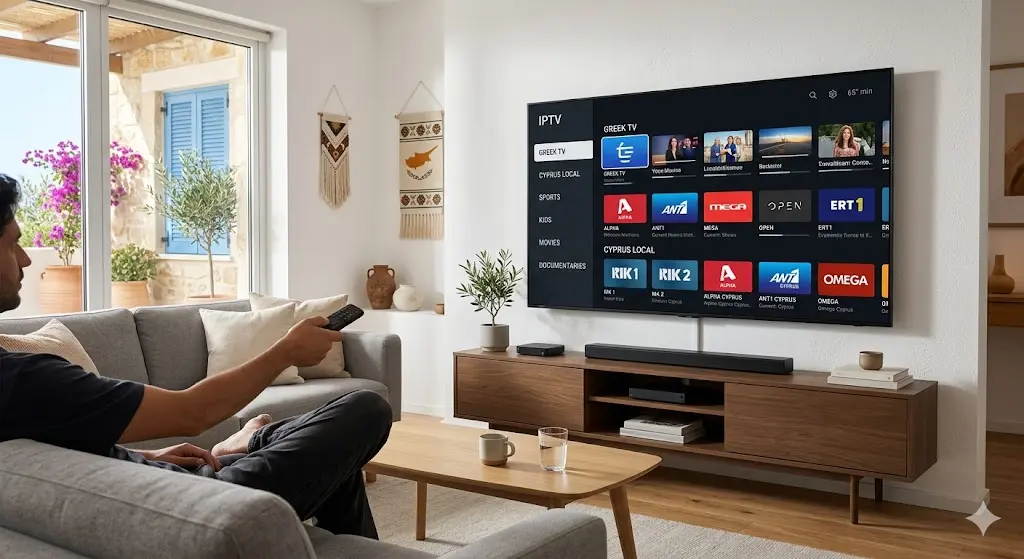
Most people think of IPTV as just a list of channels. But a disorganised list is genuinely frustrating to use — especially when you’re sharing the service with family members who all want different things.
Here’s what good IPTV channel categories organisation actually gives you:
Think of it like organising a bookshelf. A messy pile of books is technically the same content — but a sorted shelf with labelled sections is infinitely easier to use.
Before you can organise anything, it helps to understand the basics of how IPTV playlists are structured.
An M3U file is a simple text-based playlist format that tells your IPTV app where to find each channel stream. Every channel in your IPTV service is listed in this file with a name, a group tag, and a streaming URL.
When your IPTV provider gives you access, they either give you an M3U link or a set of login credentials. Either way, that playlist contains all your channels in one place.
Within a standard M3U file, channels can be tagged with a group-title attribute. This is what creates the categories you see in most IPTV apps — things like “Sports,” “Greek,” “Kids,” or “Local Cyprus.” A well-organised provider will already have these groups set up, but you can also customise them yourself using IPTV management tools.
Several popular IPTV apps support full playlist organisation features:
Most of these apps let you add multiple playlists separately, create favourite lists, and filter by group — which is exactly what you’ll use to build your organised setup.
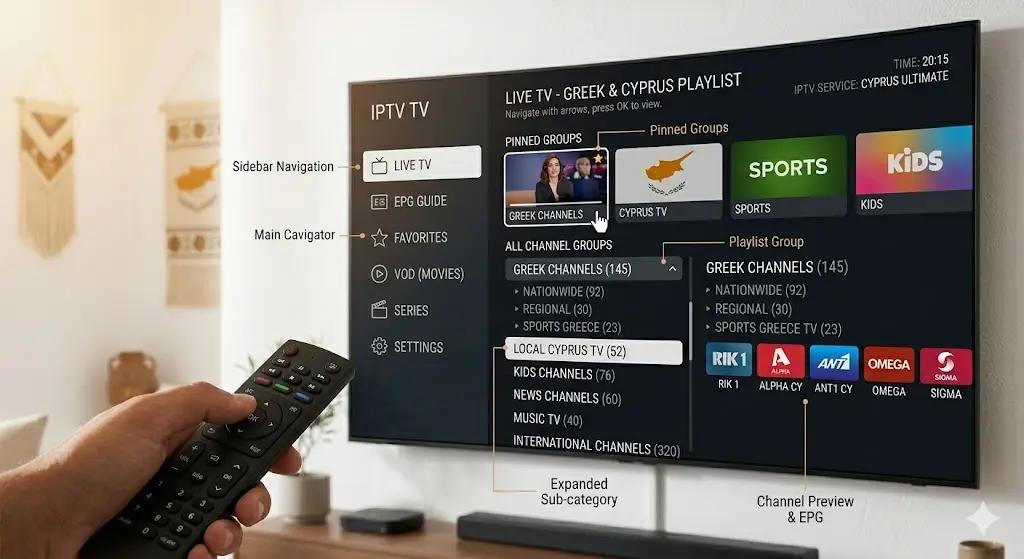
Here’s a practical IPTV playlist management guide you can follow regardless of which app you’re using.
Start by going through your current channel list and mentally grouping what’s there. For a typical Cyprus household, the main categories are:
Write these four groups down — they’ll become your four separate playlists or groups.
🟢 Ready to get a properly structured IPTV service from the start? Contact us on WhatsApp and we’ll set everything up for you.
If your IPTV app supports multiple playlists (TiviMate and GSE Smart IPTV both do), the cleanest approach is to create one playlist per category. This gives you total separation — you can switch between “Greek TV” and “Sports” as completely different lists.
If your app only supports one playlist, use the group filter feature instead. Most apps let you select a group (Greek, Sports, Kids, etc.) and browse only those channels.
Within each group or playlist, rename channels so they’re easy to identify. Good naming conventions look like:
🇬🇷 MEGA HD instead of just MEGA⚽ beIN Sports 1 HD instead of beIN 1👶 Cartoon Network instead of CARTOON NETEmojis aren’t just fun — they make channels scannable at a glance, especially on a TV screen from across the room.
Sort channels by frequency of use. Put your most-watched channels at the top of each group.
Once your main structure is in place, use your app’s built-in features to go further:
Here’s the ideal IPTV channels Greek and sports list structure for a Cyprus household:
📺 Greek TV List ERT 1, ERT 2, ERT 3, MEGA, Alpha, ANT1, Star, Open TV, Makedonia TV, Greek news channels
🇨🇾 Cyprus Local List RIK 1, RIK 2, Sigma TV, ANT1 Cyprus, Capital TV, Plus TV, parliamentary channel, local news
⚽ Sports List Nova Sports 1–4, beIN Sports 1–3, Eurosport 1–2, Sky Sports, BT Sport, motorsport and tennis channels
👶 Kids List Cartoon Network, Boomerang, Disney Junior, Disney Channel, Nick Jr., Nickelodeon, Paidiki Agapi, PBS Kids
This four-group structure covers the vast majority of what Cyprus families watch day-to-day. Everything is where you expect it to be, every time.
🟢 Want this exact setup done for you professionally? Message us on WhatsApp — we handle the full configuration.
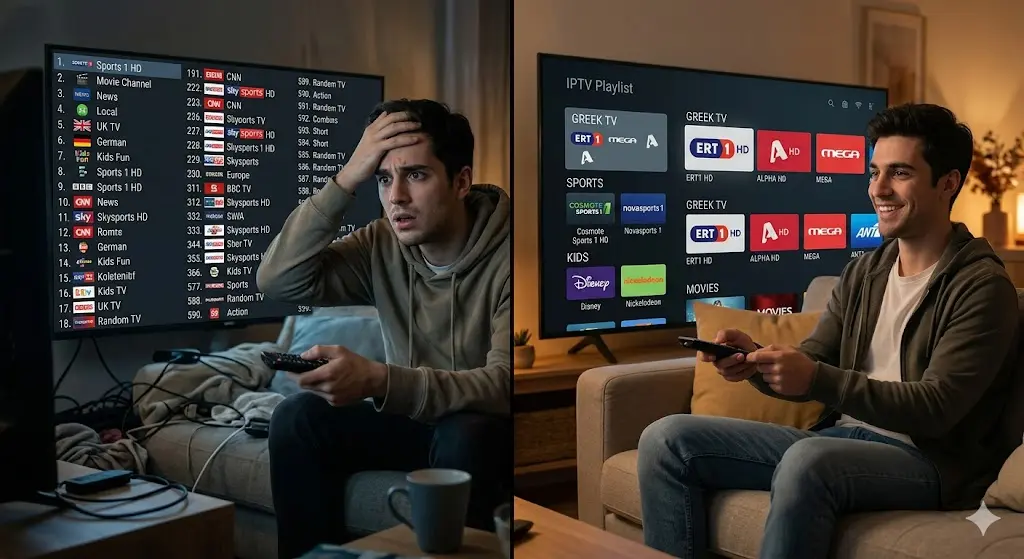
Even with the best intentions, people make the same mistakes when setting up their IPTV. Here’s what to avoid:
Mistake: Keeping all 3,000+ channels in a single unfiltered list. Solution: Use group filters or separate playlists to browse only the channels you actually want. Hide or remove channels you never watch.
Mistake: Channels named inconsistently — “MEGA,” “Mega HD,” “mega-gr,” all referring to the same channel. Solution: Standardise your naming from the beginning. Pick a format and stick to it. Rename duplicates and remove them.
Mistake: Ignoring favourites, EPG, and group filters and just scrolling through the full list every time. Solution: Spend 20 minutes setting up your favourites list. It will save you hours of frustration over months of use. Check your app’s settings — most features are already there, just unused.
Good playlist organisation is just one piece of the puzzle. Here are a few more things that make a real difference:
Keep playlists updated IPTV channel URLs sometimes change. If a channel stops working, it’s usually because the stream link in your playlist is outdated. A good provider refreshes these automatically — so you don’t have to.
Use a stable, reliable IPTV service The cleanest playlist in the world means nothing if the service behind it is unreliable. Choose a provider with proven uptime, HD and 4K streams, and fast response when issues arise. IPTV Cyprus 4K offers a stable service built specifically for the Cyprus market, with support for all the category types covered in this guide.
Optimise your internet connection For HD and 4K streams, a stable broadband connection matters. Run a quick check at Speedtest.net to see your current speed. Ideally, you want at least 25 Mbps for stable 4K playback, or 10 Mbps for standard HD. Wired connections (Ethernet) are always more stable than Wi-Fi for IPTV.
Use a compatible device Android TV boxes, Amazon Fire TV Stick, Apple TV, and Smart TVs all handle IPTV well when paired with the right app. Older devices can struggle with 4K streams, so it’s worth checking your hardware if you’re experiencing buffering.
🟢 Not sure which setup is right for you? Ask us on WhatsApp — we’ll recommend the best configuration for your household and device.
A little time spent on IPTV playlist setup Cyprus pays off every single day. When your Greek channels are in one place, sport is one tap away, and the kids’ list is completely separate, IPTV becomes genuinely enjoyable rather than frustrating.
The steps are simple: identify your categories, group your channels, rename them clearly, and use your app’s built-in tools to make navigation effortless. Whether you’re setting this up yourself or want professional help from the start, the result is the same — a cleaner, faster, more enjoyable viewing experience for everyone in your home.
🟢 Ready to organise your IPTV experience properly? Get in touch on WhatsApp and let’s get you set up today.
Reliable IPTV service in Cyprus. Enjoy live TV, movies, and series with high-quality streaming, premium channels, and fast customer support.
© 2026 IPTV Cyprus. All rights reserved.
WhatsApp us